


Unlocking Nested Automation: Introducing the Workflow-within-Workflow Feature
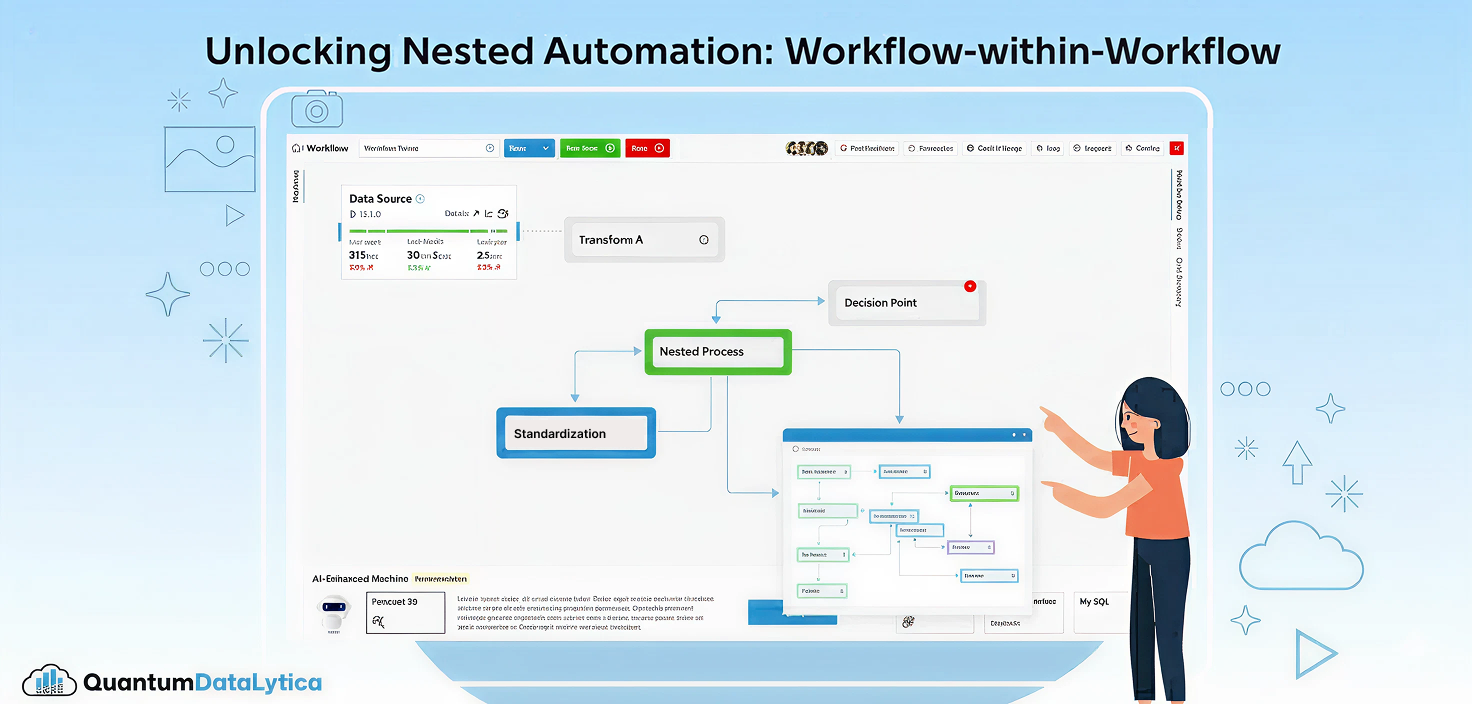
A smarter, scalable, and modular way to orchestrate complex data processes at Quantum Datalytica
Modern data systems demand automation that is not only powerful, but adaptable. As workflows grow in scope pulling data from dozens of sources, running multiple machine steps, and branching into conditional analytics, the need for nested orchestration becomes obvious. Today, we’re solving that complexity with a major capability upgrade: Workflow-within-Workflow, a feature engineered to simplify advanced automation in the Quantum Datalytica ecosystem.
This release redefines how teams build, organize, and scale their analytical pipelines making them cleaner, reusable, and significantly more maintainable.
What Is Workflow-within-Workflow?
A single workflow can now trigger, manage, and complete one or more child workflows—seamlessly and programmatically.
Instead of pushing every process into one massive workflow definition, users can now break down their logic into modular workflow components, each responsible for a specific segment of the pipeline. Parent workflows can call child workflows, pass inputs, wait for their completion, and continue execution based on their success or failure.
This shift gives architects and developers the freedom to design orchestrations that match real-world business logic.
Why This Matters: Key Advantages
1. Build Modular, Reusable Automation Blocks
- Create self-contained workflows that can be reused across multiple parent orchestrations.
- Eliminate large, monolithic YAML files or deeply nested DAG structures.
- Standardize best practices across teams with reusable workflow templates.
2. Improve Scalability and Execution Control
- Nesting workflows distribute execution loads more efficiently.
- Each workflow runs in its own execution context, making debugging and scaling easier.
- Teams can independently optimize sub-components without touching the parent flow.
3. Simplify Complex Processes
- Break enterprise-grade workflows (ETL, ML training, reporting automation, document processing) into manageable units.
- Parents can orchestrate multiple children sequentially, in parallel, or conditionally.
- State management becomes clearer with isolated success, failure, and retry strategies.
4. Full Dependency Awareness
- Parent workflows automatically track the status of triggered child workflows.
- Execution only continues when all required child workflows succeed.
- Failures bubble up cleanly, ensuring predictable orchestration behavior.
How It Works: A High-Level Overview
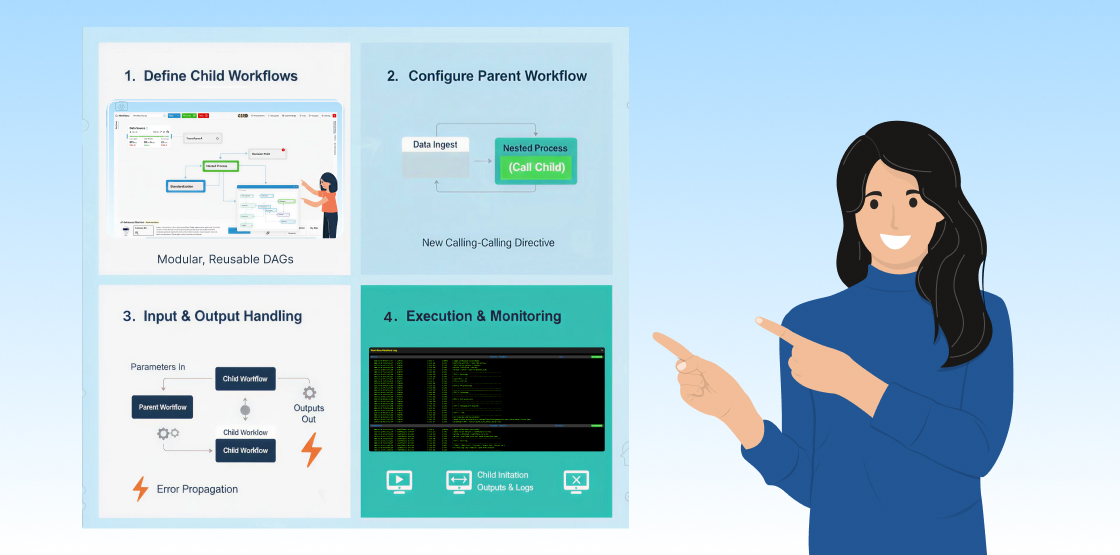
Step 1 – Define Child Workflows
Each child workflow is built and deployed as an independent orchestration unit. These can be simple (one or two machines) or complex (multi-step DAGs).
Step 2 – Configure the Parent Workflow
Workflow Engineer reference child workflows through the new workflow-calling directive within the parent’s machine or DAG step.
Step 3 – Input & Output Handling
- Parent workflows can pass parameters to children.
- Outputs from child workflows can automatically flow back into the parent.
- Error states propagate up to ensure predictable orchestration.
Step 4 – Execution & Monitoring
Everything is visible in the Quantum Datalytica execution console:
- Parent workflow timeline
- Child workflow initiation
- Child outputs & logs
- Parent continuation or failover handling
This provides a fully transparent, end-to-end view of the nested process.
Use Cases Transforming Automation
✓ Multi-Stage Data Pipelines
Split ingestion, cleaning, transformation, and reporting into dedicated workflows orchestrated by a parent workflow.
✓ Machine Learning Lifecycles
Trigger training, validation, and deployment workflows independently while keeping dependency order intact.
✓ Multi-Client Automation
Run client-specific sub-workflows inside a shared parent orchestration to simplify management at scale.
✓ Document Processing Systems
Call specialized subprocesses—conversion, validation, extraction, digital signing—depending on the document type.
Designed for Teams That Move Fast
The Workflow-within-Workflow capability accelerates development by bringing:
- Cleaner structure
- Higher modularity
- Easier maintenance
- Complete orchestration flexibility
Teams can now design automation at the right level of abstraction—treating entire workflows as reusable building blocks, not just atomic machine steps.
Final Thoughts
The Workflow-within-Workflow feature represents a leap forward for the Quantum Datalytica platform. Whether you’re running lightweight analytics or enterprise-grade automation, this enhancement gives you the modularity and control you need to operate with confidence at scale.
If your workflows power critical business processes, this is the upgrade you’ve been waiting for.
FAQs
It allows a parent workflow to trigger and orchestrate one or more child workflows. Each child workflow runs independently, returns its results, and reports execution status back to the parent.
Nested workflows provide modularity, easier maintenance, better reuse of common workflow components, and improved scalability. Large monolithic workflows become harder to debug, manage, and extend over time.
The failure is propagated to the parent workflow. The parent can either stop execution, run fallback logic, or trigger alternative workflows depending on how it’s designed.
Absolutely. Parent workflows can execute multiple child workflows simultaneously, allowing large-scale parallel processing for data pipelines, ML operations, or document processing tasks.
No. Each workflow operates in its own isolated execution environment. This separation ensures clean state management and prevents resource conflicts.
Yes. Existing workflows can be refactored to use nested orchestration, and new workflows can be designed natively with this structure.
Yes. Reusability is a core benefit of this feature. A single child workflow can be referenced by multiple parents, reducing duplication and enforcing best practices.
Definitely. It's ideal for multi-stage ETL pipelines, ML lifecycles, document processing, multi-client automation, and systems requiring modular orchestration.
The Quantum Datalytica console provides clear visibility into parent and child workflow executions, including logs, status updates, inputs, outputs, and error paths.
Yes. By splitting processes into independent workflows, you improve load distribution, parallelism, debugging, and overall system resiliency.

Nitin Suvagiya is the Architect and Lead Developer of the Quantum-Core-Engine at Quantum Datalytica, driving advanced workflow automation and data analytics solutions. As a DevOps-certified engineer, he specializes in cloud automation, CI/CD pipelines, Kubernetes, and scalable infrastructure. His expertise in software architecture and machine development ensures seamless deployment, high-performance computing, and optimized workflows. Nitin plays a crucial role in building intelligent, data-driven solutions that empower businesses with efficiency, reliability, and innovation in Quantum Datalytica’s ecosystem.
Recent Blogs
-
Workflow Automation 31 Dec, 2025
HIPAA-Compliant No-Code Data Pipelines for Healthcare Providers
-
Data Management Innovations 29 Dec, 2025
The Rise of AI-Powered Data Pipelines: What Every Business Should Know
-
Workflow Automation 28 Nov, 2025
Unlocking Nested Automation: Introducing the Workflow-within-Workflow Feature
-
Workflow Automation 21 Nov, 2025
Webhook vs. API: Which Trigger Works Best in QuantumDataLytica Workflows?
-
Expert Insights & Solutions 19 Nov, 2025
From CRM to Insights: How QuantumDataLytica Automates Lead Nurturing and Account Management