

Quantum-CLI: A powerful CLI to build, run, and test Quantum Machines.

Execute Your Workflow in a Loop with QuantumDataLytica
QuantumLoop is a powerful enhancement to our no-code data automation platform.

QuantumDataLytica vs Traditional ETL Tools: Accelerate Your Data Integration Without Coding
Traditional Extract, Transform, Load (ETL) tools have long been at the core of data integration practices.
QuantumDataLytica: The No-Code Alternative to Traditional ETL
For years, ETL (Extract, Transform, Load) solutions have been the cornerstone of data integration.
Automated daily news digest by email
Stop starting your day with twenty browser tabs. This no-code template fetches the latest headlines matching your keywords, curates them into a clean CSV, and emails the digest to your team every morning - automatically.
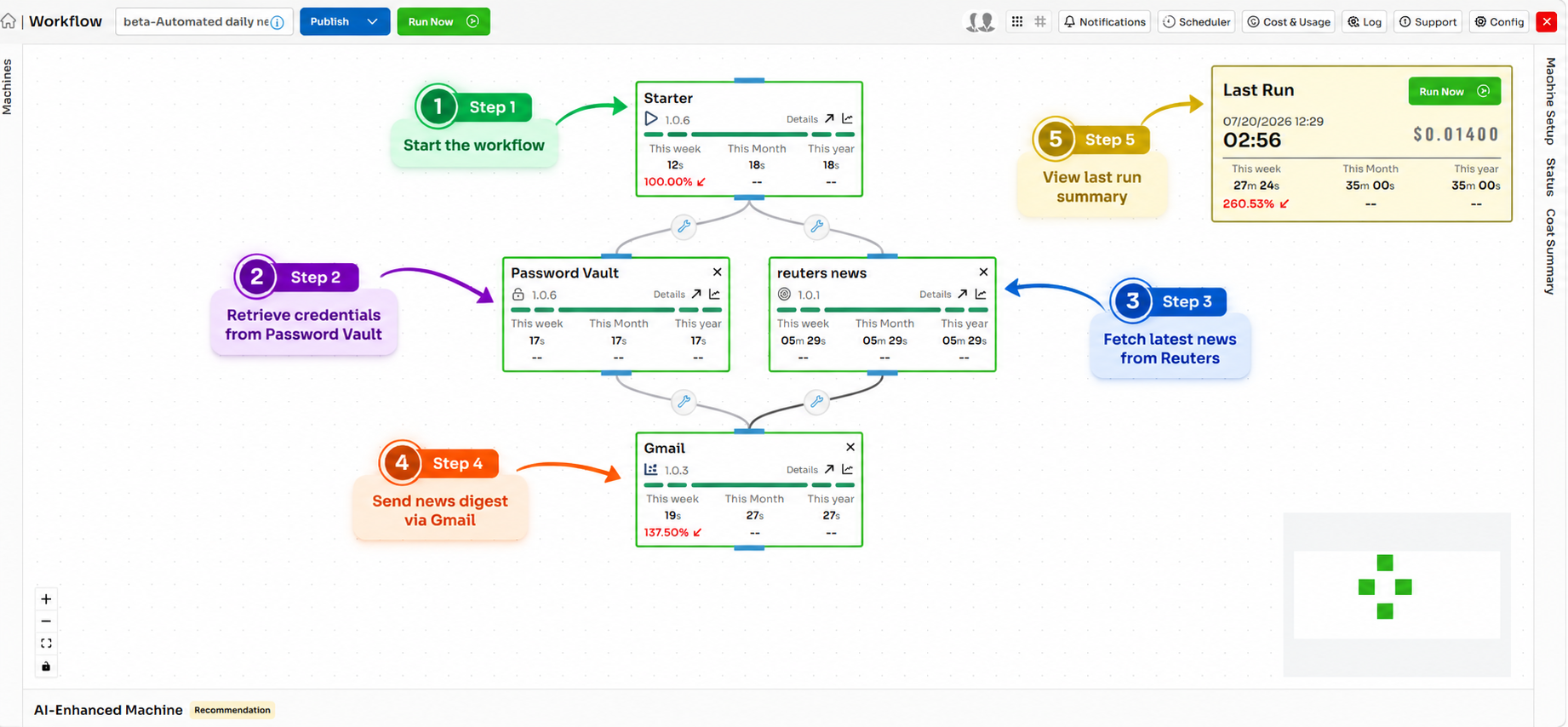
One curated email, not twenty tabs
Staying on top of the news that matters - competitors, your industry, a client's market, a regulatory beat - usually means manual browsing across a dozen sources every morning. It's time-consuming, inconsistent, and the first thing to get dropped on a busy day. An automated daily news digest replaces that ritual with a single curated email.
The headlines that matter, filtered and deduplicated, waiting in the inbox before your first meeting.
This guide explains how the digest works and how to build it without code on QuantumDataLytica. The workflow calls the NewsAPI with your chosen keywords, categories, and language, extracts the key fields from each article, writes them to a formatted CSV, and delivers it to your recipient list through Gmail - every morning, on schedule.
Because it runs on reusable Quantum Machines, you get reliable news intelligence delivered to the inbox without any manual research, browsing, or curation.
Why automate this workflow
What you gain when daily news digest email runs on autopilot instead of by hand.
Curated, not overwhelming
Targeted keyword and category filters keep the digest relevant, and a daily article cap keeps it readable instead of a firehose of headlines.
Deduplicated across sources
Article URLs are deduplicated before delivery, so the same story doesn't appear three times because three outlets covered it.
Delivered on autopilot
A morning cron sends the digest as a clean CSV attachment via Gmail, with every send logged for monitoring - no one has to press a button.
How it works, step by step
Trigger the scheduler
A morning cron job fires and starts the news-fetch pipeline for the day.
Fetch news from the API
The API Integration machine calls NewsAPI with your keyword, category, and language filters to retrieve the latest headlines.
Parse the articles
Structured fields are extracted from each article: title, source, URL, publication date, and description.
Convert to a CSV file
The Data To File machine writes the curated articles into a formatted CSV buffer, deduplicated and capped.
Send via Gmail & log
The CSV is attached to an email and delivered to your recipient list, with the send timestamp, article count, and status logged.
Inputs & outputs
NewsAPI response - articles matching your keyword, category, and language filters
A curated CSV delivered as an email attachment to your recipients via Gmail
Scheduled (daily morning cron)
NewsAPI key; Gmail OAuth credentials for the sending account
Best practices
Field-tested guidance for running this pipeline reliably in production.
- Use specific, targeted keywords so irrelevant articles don't dilute the digest - review and refine filters periodically.
- Deduplicate article URLs before writing the CSV so the same story doesn't appear multiple times across sources.
- Set a maximum article count (e.g. 50/day) to keep the digest readable and the file size manageable.
- Add fallback behavior for days with zero matches - send a short notification rather than an empty file.
- Rotate the NewsAPI key and monitor usage limits to avoid interruptions from quota exhaustion.
Market intelligence without the manual scan
Marketing, PR, and competitive-intelligence teams use this template to replace daily manual news scans with a curated digest that's waiting in the inbox before the first meeting. Analysts spend their time acting on the news instead of hunting for it - and because QuantumDataLytica is pay-as-you-go with no infrastructure, the whole digest runs at negligible cost.
Expected outcome
A curated, formatted news digest CSV arrives in the configured inbox every morning - no manual research or curation required.
Frequently asked questions
How do I set up an automated daily news digest?
What is the NewsAPI and do I need my own key?
Can multiple people receive the digest?
How do I stop the same story appearing multiple times?
What happens on a day with no matching news?
Build daily news digest email in minutes - no code
Assemble this workflow from reusable Quantum Machines in the visual Workflow Designer. Pay-as-you-go, no infrastructure to manage.